Running Linux on Android Phones A Deep Dive
Running Linux on Android phones opens up a world of possibilities, allowing for a unique computing experience. This exploration delves into the methods, technical aspects, practical implementation, and potential use cases of this fascinating approach. The potential of running Linux on Android phones is substantial, and this article will discuss the different ways this can be achieved.
From emulators to custom ROMs, various methods exist for bringing the power of Linux to your Android device. This detailed look will provide a comprehensive overview of the technical and practical steps involved, including comparisons between different Linux distributions and emulators.
Running Linux on Android Phones
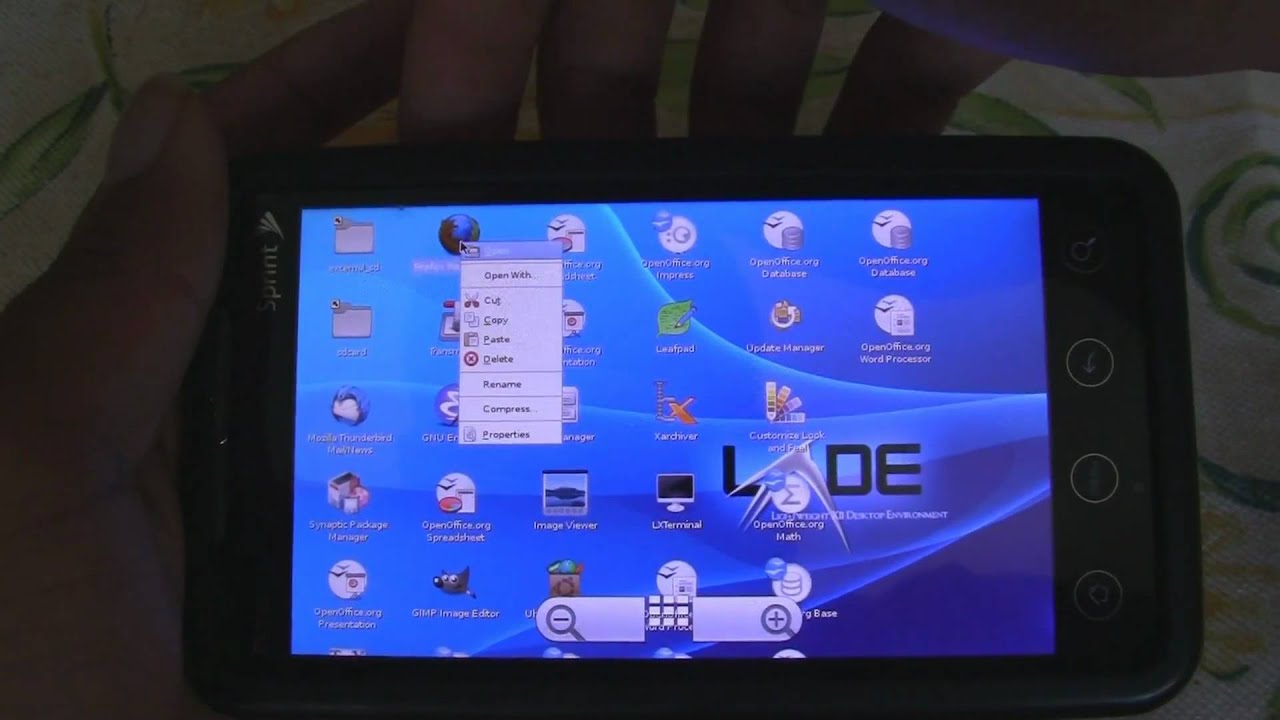
Running Linux on Android phones, while seemingly paradoxical, is a fascinating demonstration of software flexibility and hardware adaptability. Android, a mobile operating system based on a modified Linux kernel, allows for the installation and execution of a full Linux environment. This isn’t just about emulating a desktop experience; it can unlock powerful capabilities for developers, enthusiasts, and even everyday users.The primary methods for achieving this involve either emulating a full Linux environment or using custom ROMs that integrate Linux components directly into the Android system.
Both approaches have their own strengths and weaknesses, impacting performance, stability, and user experience. The evolution of this practice mirrors the ongoing advancements in mobile hardware and software engineering.
Methods for Running Linux, Running linux on android phones
Various methods exist for running Linux on Android phones. The primary approaches include utilizing emulators and employing custom ROMs. Emulators create a virtual environment that closely mimics a desktop Linux system, while custom ROMs modify the Android kernel to incorporate Linux components, often offering better performance and integration.
- Emulators: Emulators create a virtual machine (VM) that runs a Linux distribution on the Android device. This technique provides a familiar desktop experience but often comes with performance trade-offs, particularly for resource-intensive tasks. Popular choices include QEMU, which provides a high level of compatibility across different architectures. This approach is more accessible to users new to Linux but may not always provide the best possible performance.
- Custom ROMs: Custom ROMs represent a more integrated approach, directly modifying the Android kernel to support Linux applications. This generally results in better performance and integration with the Android ecosystem, but often requires more technical expertise to install and maintain. Examples include LineageOS and other custom Android distributions.
Historical Context and Evolution
The practice of running Linux on Android devices has evolved alongside improvements in mobile hardware and software. Early efforts often faced limitations due to restricted access to device resources. However, as processors, RAM, and storage capacities have increased, the feasibility and usability of Linux on Android have dramatically improved. This trend shows a continuous pursuit of enhanced functionalities and greater compatibility across different operating systems.
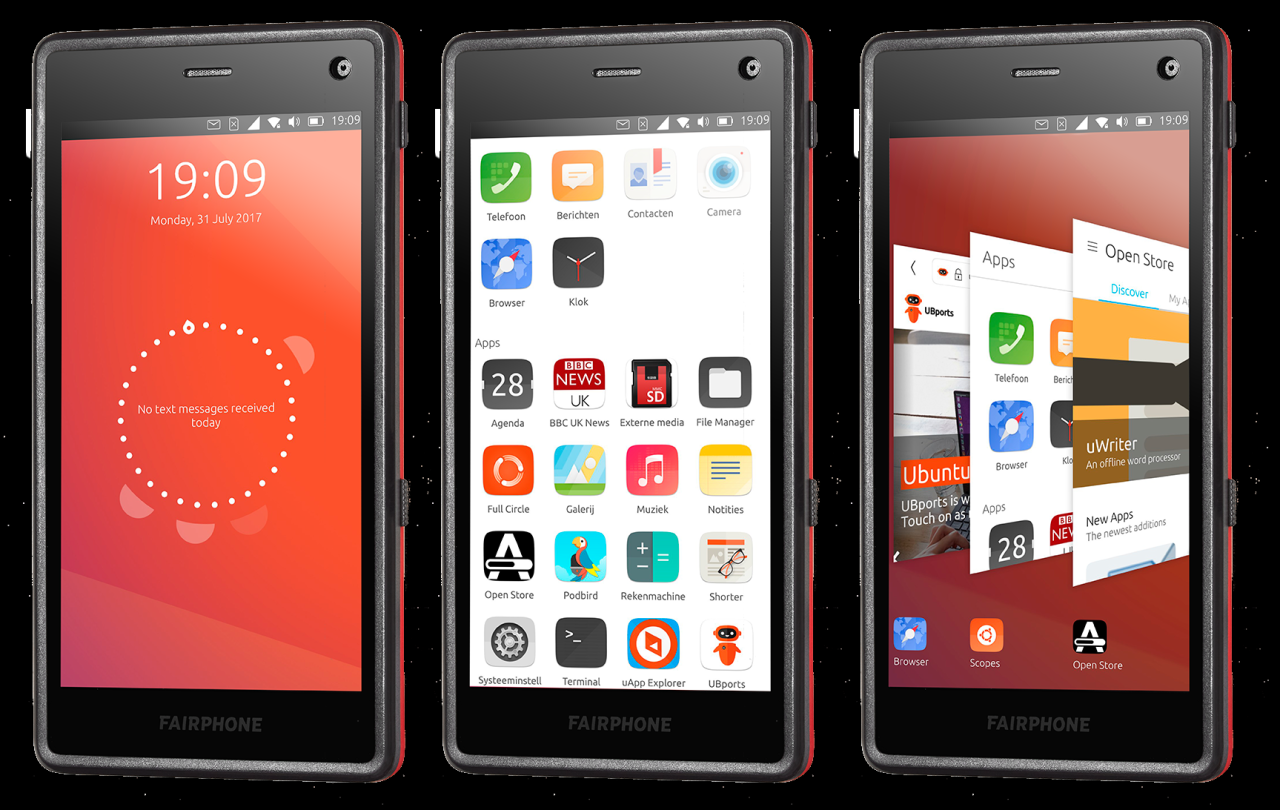
Linux Distributions on Android
This table compares different Linux distributions that can be run on Android devices, highlighting key features, advantages, and disadvantages.
| Distribution | Key Features | Advantages | Disadvantages |
|---|---|---|---|
| Ubuntu Touch | A complete desktop environment based on Ubuntu. | Familiar desktop experience, robust ecosystem. | Performance can be impacted by resource constraints, limited app support. |
| Fedora | A community-driven distribution, frequently updated. | Latest technologies, active community support. | Requires more technical knowledge to install and maintain. |
| Linux Mint | User-friendly desktop environment with a focus on ease of use. | Straightforward installation and use, wide range of applications. | May have a slightly lower performance compared to more lightweight distributions. |
Technical Aspects of Linux on Android
Running Linux on Android phones isn’t simply a matter of installing a Linux distribution. It requires careful architectural adjustments and often leverages emulation to bridge the gap between the Android operating system and the Linux kernel. This process is more complex than a simple installation and demands a deep understanding of the underlying technical details.The core of this approach lies in the intricate relationship between the Android OS and the Linux kernel.
So, I’ve been diving into running Linux on Android phones lately, and it’s pretty cool. Thinking about the potential power of this tech, it got me pondering the weather situation in Southern California. With the rain to slam southern California Wednesday through Friday could prompt mudslides floods , it’s a reminder that powerful computing, like running Linux on your phone, can be useful for all sorts of practical applications, from staying informed about weather forecasts to other tasks.
Hopefully, this Linux setup on my Android will continue to prove useful.
Android, built on a modified Linux kernel, creates a layered system architecture that allows for the execution of Linux applications. This modification, while crucial for compatibility, introduces nuances in resource management and performance characteristics. The Android framework provides an abstraction layer that allows applications to interact with the underlying Linux kernel while maintaining the Android user experience.
Kernel Modifications
The Android kernel, a custom variant of the Linux kernel, is essential for the smooth operation of Linux applications. These modifications are crucial for adapting the kernel to Android’s specific requirements, including managing resources, prioritizing processes, and ensuring compatibility with the Android framework. Crucially, the modifications ensure seamless integration with the Android operating system and maintain device stability.
This often involves tailoring the kernel’s drivers, enabling compatibility with Android hardware components.
System Architecture
The architecture of a system running Linux on Android is layered. The Android framework sits atop the modified Linux kernel, acting as an intermediary between the Linux application and the hardware. This layered approach provides isolation and security, allowing for the running of Linux applications without compromising the stability of the Android OS. Applications interact with the Linux kernel through the Android framework, maintaining a level of compatibility and stability.
Emulators
Emulators play a significant role in this environment. They provide a virtualized Linux environment within the Android operating system, allowing for the execution of Linux applications. Performance characteristics vary considerably depending on the emulator’s implementation and the specific application being run. Factors like CPU architecture, memory allocation, and graphical processing impact the performance of Linux applications within the emulator.
Security Considerations
Security is paramount when running Linux on Android. The coexistence of two operating systems introduces potential vulnerabilities. Carefully crafted security measures are essential to isolate the Linux environment from the Android system and to prevent malicious code from impacting either system. Access control mechanisms and sandboxing are essential to contain potential threats and maintain the integrity of both operating systems.
Implementing robust security protocols is critical for ensuring the overall security of the device.
Emulator Comparison
| Emulator | Features | Performance | Supported Distributions |
|---|---|---|---|
| Termux | Lightweight terminal emulator; good for basic Linux tasks. | Generally good for simple tasks; performance can be limited for demanding applications. | Many popular Linux distributions are supported. |
| Android-x86 | Provides a complete Linux environment with a graphical interface. | Performance varies greatly based on the device hardware. | Supports various Linux distributions. |
| Other custom emulators | May provide specialized features or optimization for specific tasks. | Performance depends on the specific emulator and device. | Support can vary. |
The table above highlights the diversity in available emulators. Each emulator possesses its own strengths and weaknesses, impacting the performance and utility of running Linux on Android.
Practical Implementation and Setup
Installing a Linux distribution on an Android phone is a fascinating process, offering a glimpse into the flexibility and customization of Android’s underlying architecture. This method allows users to experience a full Linux environment within the confines of a mobile device, opening doors for a wide array of potential applications, from running complex programs to experimenting with different operating systems.
However, the process requires a degree of technical proficiency and understanding of the Android system.This section will delve into the practical steps involved in setting up a Linux environment on your Android device, exploring various installation methods, common hurdles, and necessary tools. We’ll also discuss how to effectively configure the Linux environment to best suit your needs.
Installation Methods
Several methods are available for installing a Linux distribution on an Android phone. Each method has its own set of advantages and disadvantages, and the optimal choice often depends on the specific needs and technical capabilities of the user.
- Using a dedicated Linux environment app:
- Many apps designed for running Linux containers on Android offer a streamlined approach. These apps abstract away the complexities of low-level interactions, simplifying the installation process for beginners. They often provide tools to manage the installed Linux environment, making updates and maintenance easier. However, this approach might not provide the same level of flexibility as manually managing a Linux environment.
- Using a custom ROM (Recovery Method):
- This approach involves installing a custom Android ROM that includes a Linux environment. This allows for a more seamless integration of the Linux system with the Android operating system. However, this method requires a higher level of technical expertise, as it involves modifying the Android system’s core components. Finding a suitable custom ROM for your specific phone model and maintaining its compatibility with Android updates is crucial.
- Using Termux or similar terminal emulators:
- These applications provide a terminal environment where you can execute Linux commands and potentially install a Linux distribution using packages. This method allows a more hands-on approach to managing the Linux environment. However, it might require a greater degree of technical knowledge to navigate the Linux installation process within the emulator.
Common Problems and Solutions
During the installation process, users may encounter various challenges. Understanding potential issues and their resolutions can significantly improve the overall experience.
- Incompatible Hardware or Software:
- The hardware capabilities of your Android phone, such as RAM and CPU speed, can significantly impact the performance of a Linux environment. Incompatible software packages can also lead to issues. Ensuring compatibility between your hardware, chosen Linux distribution, and any necessary software is crucial to avoid performance bottlenecks or crashes.
- Installation Errors:
- These errors can stem from various factors, such as insufficient storage space, corrupted installation files, or incorrect configurations. Thorough checks of the installation files, verifying the system requirements of the chosen Linux distribution, and verifying sufficient storage space are essential to avoid installation errors.
Essential Tools and Software
Having the correct tools and software is critical for a smooth installation process. This list highlights the essential tools and software necessary to effectively run a Linux environment on your Android device.
- Dedicated Linux Environment App (e.g., Termux):
- This app is crucial for managing the Linux environment and providing a terminal interface for interacting with the system. The chosen app should be compatible with the Android device and the Linux distribution.
- Linux Distribution Files:
- Downloading the correct Linux distribution files is essential. The chosen distribution should be compatible with the Android device’s capabilities. Verifying the file integrity and size before installation is crucial.
- File Manager (e.g., ES File Explorer):
- Managing files and folders on the Android device and transferring files to and from the Linux environment is important. A file manager application that allows for these tasks is essential.
Configuring a Linux Environment
Once the Linux distribution is installed, proper configuration is essential for optimal performance. The configuration process can vary depending on the chosen installation method.
- Setting up Network Connections:
- Establishing a stable network connection is crucial for accessing online resources and other services. Understanding how to configure network settings within the Linux environment is vital for smooth operation.
- Managing User Accounts:
- Creating and managing user accounts, setting permissions, and controlling access to system resources are necessary to maintain security and organization. This process ensures the security and proper functioning of the Linux environment.
Use Cases and Applications
Running Linux on Android phones opens up a world of possibilities, extending beyond the typical smartphone experience. This approach allows for specialized applications and enhanced functionality not easily achievable with traditional mobile operating systems. The versatility of this approach lies in its ability to cater to a wide range of needs, from power users to those seeking unique capabilities.The flexibility of Linux on Android enables a multitude of use cases.
Running Linux on Android phones is fascinating, offering a whole new level of customization. You might need to convert data formats, like JSON to CSV, when working with Linux on your phone. Tools like Python, with its powerful libraries for handling data like convert json to csv in python , can be incredibly helpful for this. This opens up more possibilities for data manipulation, which is a key aspect of any robust Linux environment on a mobile device.
From advanced scripting and automation tasks to running specific applications requiring a Linux environment, the possibilities are diverse and potentially transformative. This hybrid approach provides a unique blend of mobile convenience and powerful computing capabilities, addressing needs that standard mobile OSes often fall short of.
Specific Application Scenarios
Linux on Android shines in scenarios demanding more than basic mobile functionalities. Dedicated applications like scientific simulations, data analysis tools, and advanced scripting environments find a powerful platform here. These scenarios typically benefit from the robust processing power and command-line interface available in Linux, features absent or less accessible in iOS or Windows Mobile. This unique combination of portability and processing power provides significant advantages.
Advantages and Disadvantages Compared to Other OSes
Compared to iOS, which focuses on a user-friendly, tightly controlled ecosystem, Linux on Android offers unparalleled customization and flexibility. This contrasts with the more restrictive approach of iOS, allowing for a wider range of applications and deeper control. Similarly, compared to Windows Mobile, which has seen limited mainstream adoption, Linux on Android provides a more readily accessible and adaptable environment.
However, this flexibility comes with a potential learning curve. The need for a deeper understanding of Linux commands and configurations might be a barrier for some users.
Advantages and Disadvantages in Different Use Cases
The advantages and disadvantages of Linux on Android vary significantly based on the specific application. For example, developers needing a robust environment for compiling and testing code will find significant advantages. However, for everyday users, the extra complexity might outweigh the benefits.
Table Illustrating Applications for Linux on Android
| Application Category | Example | Description |
|---|---|---|
| Scientific Computing | Running astronomical simulations | Performing complex calculations and simulations in a portable environment, such as analyzing large datasets or running scientific applications. |
| Data Analysis | Using statistical tools | Processing and analyzing data sets on the go, useful for researchers, analysts, and students needing quick data processing capabilities. |
| Advanced Scripting | Custom automation tasks | Creating and running scripts for automating tasks or customizing phone behavior, like automating backups or file management. |
| Development Tools | Running a Linux-based IDE | Using a full-fledged Integrated Development Environment (IDE) specifically designed for Linux, giving developers access to a complete development suite. |
| Embedded Systems | Controlling IoT devices | Interacting with and controlling Internet of Things (IoT) devices using Linux commands, particularly useful for developers working with hardware and embedded systems. |
Performance and Limitations
Running Linux on Android phones, while fascinating, faces significant performance challenges. This section delves into the performance characteristics, limitations, and benchmarks for this approach, contrasting it with native Android applications. The goal is to provide a realistic assessment of the trade-offs involved.
Running Linux on Android phones is pretty cool, offering a level of customization that’s hard to match. Thinking about the impressive price tag of a five bedroom home in San Jose selling for $2.3 million, five bedroom home in san jose sells for 2 3 million , it’s a reminder that even tech-savvy projects can be quite an investment.
Still, Linux on Android phones provides a fascinating alternative to the usual mobile experience, especially for tech enthusiasts.
Performance Characteristics
Linux on Android devices often struggles to match the performance of native Android applications. This is due to the inherent overhead of running a full Linux kernel on a resource-constrained platform. The limited hardware resources, such as CPU cores, RAM, and storage space, directly impact the responsiveness and efficiency of the Linux environment.
Limitations and Drawbacks
Several limitations hinder the performance of Linux on Android phones. These include:
- Reduced Battery Life: The extra overhead of running a full Linux kernel often results in a noticeable decrease in battery life compared to native Android applications. This is because the kernel requires more processing power and energy to function. For example, a user might find their phone draining significantly faster when running a Linux-based application compared to a typical Android game.
- Increased Lag and Stuttering: The performance of Linux on Android can be affected by lag and stuttering, especially during intensive tasks. This can be caused by the limited resources available to the Linux system, which can lead to delays in processing requests. A user running a demanding Linux application might experience noticeable lag when performing tasks like opening files or switching between applications.
- Compatibility Issues: Linux applications might not be fully compatible with the Android environment. This can lead to unexpected behavior or crashes. This is a significant issue for developers, who need to ensure their applications function smoothly and consistently in the Android environment.
Comparison to Native Android Applications
Native Android applications are optimized for the Android operating system. This results in better performance, efficiency, and battery life. Linux applications running on Android generally do not benefit from the same level of optimization.
Benchmarks
Benchmarking the performance of Linux on Android is complex, as it depends heavily on the specific application, hardware configuration, and workload. There isn’t a standardized benchmark suite for this scenario. However, performance testing often reveals noticeable differences between Linux and native Android applications, especially under heavy loads.
CPU, RAM, and Storage Requirements
The resource requirements for running Linux on Android vary greatly depending on the specific application. The table below provides a comparative overview of the potential resource needs for different scenarios.
| Scenario | CPU | RAM | Storage |
|---|---|---|---|
| Running a basic Linux terminal emulator | Low | Low | Moderate (for the emulator and associated files) |
| Running a Linux-based web browser | Medium | Medium | Moderate (for the browser and downloaded files) |
| Running a resource-intensive Linux application (e.g., a 3D modeling program) | High | High | High (for the application and potentially large projects) |
Note: The specific requirements will depend on the specific application and the hardware configuration of the Android device.
Future Trends and Potential
Running Linux on Android phones is a nascent field, but its potential for future development is substantial. The current implementations, while functional, often require significant user effort. However, a more seamless integration with Android’s existing ecosystem is likely to be a key driver for mainstream adoption. This could involve native Linux support within the Android kernel, potentially leading to a more unified platform experience.
Potential Integration with Android
The future of Linux on Android phones hinges on a more seamless integration with the Android operating system. This could manifest in several ways, such as allowing native Linux applications to run alongside Android apps without significant performance overhead or resource contention. A unified file system that allows Android apps to access Linux files and vice-versa would be crucial for this seamless integration.
This will enable a hybrid approach where Android handles the user interface and core functionalities, while Linux manages resource-intensive tasks or specialized applications.
Mainstream Adoption Drivers
Several factors could drive mainstream adoption of this technology. Improved performance and stability are crucial for gaining user trust and acceptance. The availability of more readily available and user-friendly installation and configuration tools will greatly increase accessibility. Furthermore, the emergence of dedicated Linux application stores specifically designed for Android phones would be a significant step. This would provide a convenient platform for users to discover and download Linux-based software tailored for the platform.
Research and Development
Recent research in this area focuses on optimizing resource management to improve the performance and efficiency of Linux on Android. Studies are also exploring ways to minimize the performance overhead associated with running Linux containers on the Android platform. Developers are investigating the use of virtualization techniques to better isolate Linux processes from Android’s core functionalities. This could lead to a more stable and predictable environment for running Linux on Android.
Potential Improvements
Several improvements to the current methods of running Linux on Android phones are possible. A more comprehensive set of Linux system tools that are optimized for mobile environments would greatly enhance user experience. Simplified user interfaces for managing Linux processes and applications would increase accessibility. Furthermore, dedicated support for various Linux distributions on Android would ensure wider compatibility and broader appeal.
A more granular control over resource allocation and prioritization between Linux and Android processes will ensure optimal performance. Finally, a robust and secure mechanism for handling Linux kernel updates within the Android environment is vital for long-term stability.
Closing Summary
Running Linux on Android phones, while still a niche practice, offers intriguing potential for customization and specialized tasks. The performance and limitations of this approach need careful consideration, but the possibilities are certainly exciting. This exploration highlights the current state of this technology, its capabilities, and its future potential.