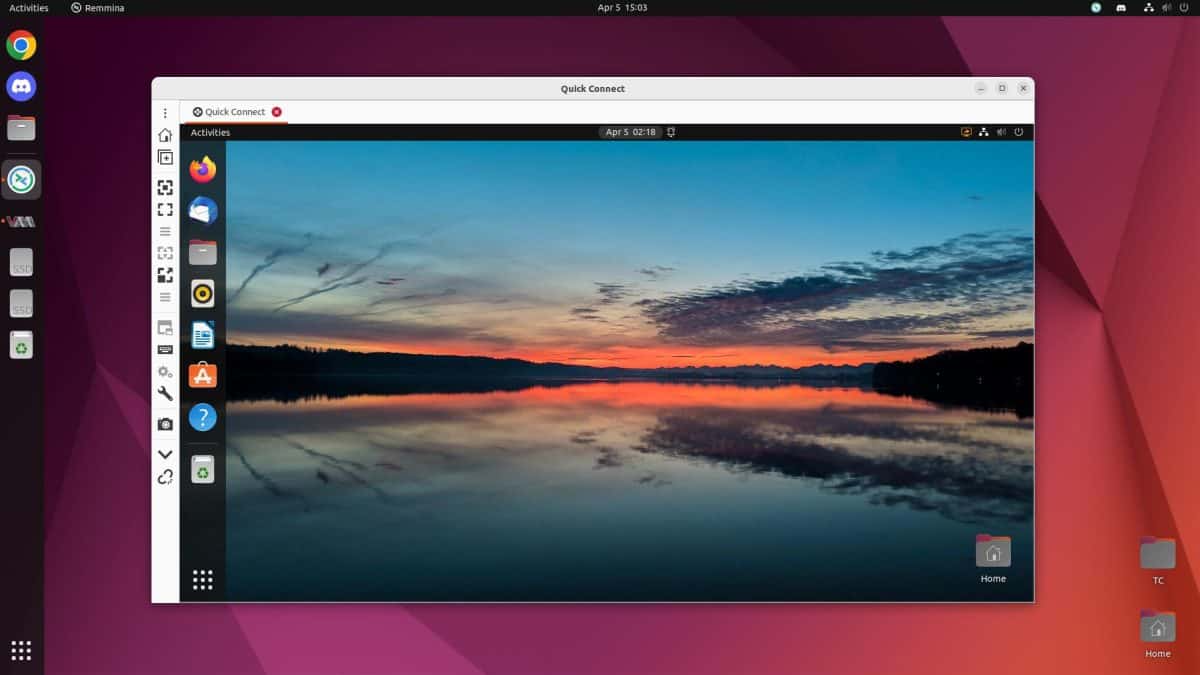
Ubuntu Desktop on Cloud A Comprehensive Guide
Ubuntu desktop on cloud is rapidly becoming a preferred choice for businesses and individuals seeking flexible and cost-effective computing solutions. This guide dives deep into the world of cloud-based Ubuntu desktops, exploring everything from core concepts and deployment types to performance, security, and future trends. We’ll cover various aspects, including setup procedures, advantages, and potential use cases, ensuring a complete understanding of this powerful technology.
From basic definitions and underlying technologies to practical deployment steps and detailed performance analyses, this comprehensive guide provides a holistic view of cloud-based Ubuntu desktops. It explores the advantages, challenges, and future prospects, equipping readers with the knowledge to make informed decisions about adopting this innovative solution.
Introduction to Ubuntu Desktop on Cloud
Ubuntu Desktop on Cloud leverages the power of cloud computing to deliver a full Ubuntu desktop experience remotely. This allows users to access their familiar Ubuntu desktop environment from anywhere with an internet connection, eliminating the need for a physical computer. This approach offers flexibility, accessibility, and cost-effectiveness, making it a compelling alternative to traditional on-premise desktops.This cloud-based approach relies on virtualization technologies and robust network infrastructure to provide a seamless and responsive desktop environment.
The user experience is designed to mirror a standard Ubuntu desktop, while the underlying infrastructure is managed by the cloud provider. This enables users to focus on their work without worrying about the technical complexities of managing hardware and software.
Definition of Ubuntu Desktop on Cloud
Ubuntu Desktop on Cloud is a cloud-based computing service that delivers a full Ubuntu desktop environment over a network connection. It’s essentially a virtualized Ubuntu desktop accessible from any device with an internet connection. This allows users to work on their familiar Ubuntu applications and files without the need for locally installed software or hardware.
Core Concepts and Technologies
The core concepts behind Ubuntu Desktop on Cloud involve virtualization, remote access, and cloud infrastructure. Virtualization technologies, like KVM or VMware, create a virtual machine (VM) running Ubuntu. This VM acts as a complete desktop environment. Remote access protocols, such as RDP or VNC, allow users to connect to and interact with the virtual desktop from their devices. Cloud providers manage the underlying infrastructure, including servers, storage, and networking, ensuring high availability and scalability.
Different Types of Cloud Deployments
Cloud deployments for Ubuntu desktops can vary significantly. Common types include:
- Public Cloud: Cloud services are offered by third-party providers like AWS, Azure, or Google Cloud. Users access Ubuntu desktops hosted on these providers’ shared infrastructure. This is often a cost-effective option for individuals and smaller organizations.
- Private Cloud: Ubuntu desktops are deployed within an organization’s own infrastructure. This allows for greater control and security, but requires significant upfront investment in hardware and software. This model is better suited for larger organizations with dedicated IT resources.
- Hybrid Cloud: A combination of public and private cloud deployments. Organizations might use a public cloud for non-sensitive tasks and a private cloud for more critical applications or sensitive data. This provides a balance between cost-effectiveness and control.
Comparison of On-Premise and Cloud-Based Ubuntu Desktops, Ubuntu desktop on cloud
The following table summarizes the key differences between on-premise and cloud-based Ubuntu desktops:
| Feature | On-Premise Ubuntu Desktop | Cloud-Based Ubuntu Desktop |
|---|---|---|
| Hardware Requirements | Local computer with sufficient processing power, RAM, and storage. | No local hardware requirements; only a device with an internet connection. |
| Management | Requires local IT administration for updates, maintenance, and security. | Managed by the cloud provider, reducing the administrative burden. |
| Cost | Upfront cost for hardware and software, ongoing maintenance costs. | Pay-as-you-go pricing model, potentially lower upfront costs. |
| Accessibility | Access limited to the physical location of the computer. | Access from anywhere with an internet connection. |
| Scalability | Scalability limited by the local hardware. | Highly scalable, easily adaptable to changing needs. |
Benefits and Advantages
Cloud-based Ubuntu desktops offer a compelling alternative to traditional desktop setups, delivering a range of advantages in terms of cost, efficiency, and flexibility. This shift towards the cloud unlocks new possibilities for remote work, collaboration, and streamlined IT management. These advantages are particularly significant for businesses and organizations of all sizes.Cloud-based desktops offer significant improvements in cost savings and efficiency.
Ubuntu desktops on the cloud are becoming increasingly popular, offering a flexible and accessible computing experience. Thinking about the upcoming MLB season, especially the San Francisco Giants’ NL West preview with stars like Ohtani, Webb, Verlander, and Melvin Posey, this preview got me thinking about how these cutting-edge cloud computing platforms could potentially streamline team operations. Ultimately, cloud-based Ubuntu desktops provide a powerful and adaptable solution for a wide range of users.
Traditional desktop infrastructure often requires substantial upfront investment in hardware, software licenses, and ongoing maintenance. Cloud solutions, on the other hand, operate on a pay-as-you-go model, reducing capital expenditure and operational costs. This cost-effective approach allows businesses to allocate resources more strategically and focus on core business activities.
Cost Savings and Efficiency Improvements
The pay-as-you-go model inherent in cloud computing significantly reduces capital expenditure for hardware. No need for expensive servers or desktops. Instead, resources are accessed on demand, with pricing often tied to usage. This translates to substantial savings compared to traditional on-premises solutions. Furthermore, cloud platforms streamline IT management, reducing the burden on in-house IT staff.
Updates and maintenance are handled by the provider, freeing up internal resources for other tasks.
Scalability and Flexibility
Cloud-based Ubuntu desktops excel in scalability and flexibility. Businesses can easily adjust the number of desktops or resources according to fluctuating demands. Scaling up during peak periods or downsizing during lulls is seamless and cost-effective. This adaptability allows organizations to respond quickly to changing business needs without significant infrastructure overhauls. The flexibility extends to customizing desktops and applications, tailored to specific business requirements.
Remote Access and Collaboration
Cloud-based desktops facilitate seamless remote access and collaboration. Employees can access their virtual desktops from anywhere with an internet connection, enabling remote work and distributed teams. Collaboration tools seamlessly integrate with cloud-based environments, allowing teams to work together on projects in real time. This remote access capability fosters greater flexibility and work-life balance for employees.
Use Cases for Cloud-Based Ubuntu Desktops
Cloud-based Ubuntu desktops are suitable for a variety of use cases. Businesses can leverage these solutions for remote workforces, enabling employees to access their work environment from anywhere. Educational institutions can provide virtual desktops for students and faculty, ensuring accessibility and flexibility. Small businesses can utilize cloud desktops as a cost-effective alternative to purchasing and maintaining expensive hardware.
Even individuals can enjoy the convenience and flexibility of cloud-based desktops for personal use.
Comparison of Cloud Providers for Ubuntu Desktop Services
| Cloud Provider | Pricing Model | Scalability | Security Features | Support |
|---|---|---|---|---|
| Provider A | Pay-as-you-go, tiered pricing | Highly scalable, elastic resources | Robust security protocols, encryption | 24/7 support, dedicated account managers |
| Provider B | Subscription-based pricing, fixed resources | Scalable, but limited flexibility | Industry-standard security measures | Documentation-based support, limited direct support |
| Provider C | Hybrid model, variable pricing | Scalable, flexible resources | Advanced security features, audit trails | Comprehensive support, tiered support packages |
This table provides a concise overview of different cloud providers, highlighting their key characteristics. Factors like pricing models, scalability, security, and support should be considered when selecting a cloud provider for Ubuntu desktop services. Different providers may excel in specific areas, making it crucial to align your needs with the provider’s capabilities.
Deployment and Setup
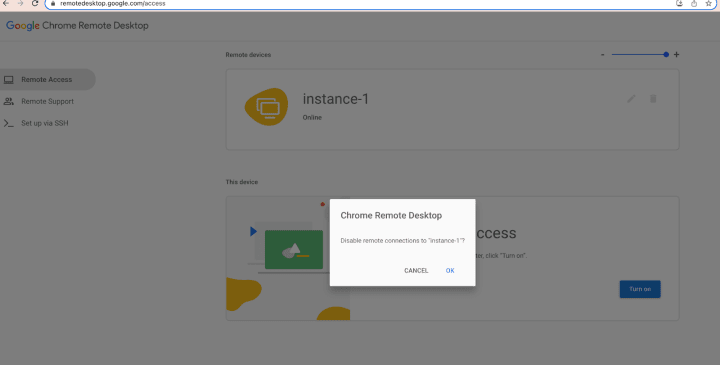
Setting up a cloud-based Ubuntu desktop involves several key steps, from choosing the appropriate deployment model to configuring remote access and user accounts. This process ensures a secure and efficient virtual workspace accessible from anywhere. Careful planning and execution of these steps are crucial for a smooth and productive experience.Understanding the different deployment models and the associated infrastructure requirements is vital for optimal performance and cost-effectiveness.
This includes selecting the right cloud provider, allocating resources, and configuring security measures to protect sensitive data.
Deployment Models
Various deployment models cater to different needs and resource constraints. Each model offers a unique set of features and configurations. Understanding these differences helps in choosing the most suitable model for a given project or workload.
- Infrastructure as a Service (IaaS): This model provides the most flexibility, allowing users to control the underlying infrastructure. Users deploy and manage their own virtual machines, operating systems, and applications. This approach gives fine-grained control but requires significant expertise and management overhead. Examples include setting up virtual machines on AWS EC2 or Google Compute Engine and installing Ubuntu on them.
- Platform as a Service (PaaS): PaaS abstracts away the underlying infrastructure, focusing on deploying and managing applications. Users focus on application development and deployment, without the need to manage the operating system or hardware. This approach simplifies the setup process, reducing management overhead. An example is using Google App Engine or similar platforms to deploy an application built on Ubuntu.
- Software as a Service (SaaS): SaaS provides ready-made applications hosted on a cloud platform. Users access and utilize the application through a web browser without needing to manage the underlying infrastructure. This is the simplest model, ideal for users needing a straightforward, pre-configured solution. Examples include popular productivity suites hosted in the cloud, like Google Workspace or Microsoft 365.
Remote Access Configuration
Secure remote access is essential for cloud-based desktops. Different methods are available, each with varying levels of security and complexity.
Ubuntu desktop on the cloud is becoming increasingly popular, offering a flexible and accessible way to work from anywhere. Think about the recent sporting triumph of Piedmont, who, in a surprising display of prowess, neutralized Oakland Tech’s height advantage in a stunning rout, like this one. This kind of resilience and adaptability is mirrored in the cloud-based Ubuntu experience, making it a powerful tool for modern work environments.
- Virtual Network Computing (VNC): VNC provides a graphical interface for remote control of a desktop environment. It’s a simple and widely used solution. Configuration involves setting up a VNC server on the Ubuntu instance and using a VNC client on the user’s device.
- Remote Desktop Protocol (RDP): RDP is another popular remote access protocol, primarily used for Windows environments. However, RDP can also be used with Ubuntu through specific software or configurations.
User Account Management
Managing user accounts is crucial for security and access control. Robust user management practices are essential for controlling access to resources and data.
- User Roles and Permissions: Implementing a system of user roles and permissions allows granular control over access to different applications and data. This approach prevents unauthorized access and ensures compliance with security policies.
- Password Management: Strong passwords and regular password updates are critical for security. Consider implementing password policies to enforce complexity and length requirements.
Deployment Tools
Several tools facilitate the deployment and management of cloud-based Ubuntu desktops. Choosing the right tool depends on the specific needs and complexity of the deployment.
| Tool | Features |
|---|---|
| Chef/Puppet | Configuration management tools enabling automation of infrastructure provisioning and configuration. |
| Ansible | Automation tool for configuration management, application deployment, and task automation. |
| Terraform | Infrastructure as code tool for provisioning and managing infrastructure resources in various cloud providers. |
Infrastructure Requirements
The necessary infrastructure depends on the specific requirements of the deployment. Key factors include processing power, memory, storage, and network bandwidth. These resources need to be adequately provisioned to support the intended workload and user count.
Security Best Practices
Securing cloud-based Ubuntu desktops is crucial to protect sensitive data. These best practices ensure the safety of the system and data.
- Regular Security Audits: Implementing a schedule for security audits helps in identifying and addressing vulnerabilities in the system.
- Firewall Configuration: Configuring a firewall to restrict access to the desktop environment is essential to prevent unauthorized connections.
- Data Encryption: Encrypting sensitive data at rest and in transit is a crucial security measure.
Performance and Reliability
Cloud-based Ubuntu desktops offer a compelling alternative to traditional desktop setups, but their performance and reliability depend heavily on the underlying infrastructure. Factors like network latency, resource allocation, and the chosen cloud provider significantly impact the user experience. Understanding these aspects is crucial for selecting the optimal cloud environment for specific needs.
Performance Characteristics
Cloud-based Ubuntu desktops exhibit a performance profile that mirrors the underlying cloud infrastructure. Responsiveness, speed of application loading, and overall system fluidity depend on the allocation of processing power, memory, and storage. A robust network connection is vital for smooth operation. High network latency can introduce noticeable delays in interactions, impacting the overall performance. Furthermore, the amount of allocated resources influences the performance.
More resources typically translate to faster and smoother operations.
Factors Influencing Performance
Several key factors influence the performance of cloud-based Ubuntu desktops. Network latency, a crucial element, represents the time it takes for data to travel between the user’s device and the cloud server. High latency can lead to sluggish response times and a frustrating user experience. Resource allocation, the process of assigning computing power, memory, and storage to a virtual machine, directly impacts performance.
Insufficient allocation can result in slowdowns and bottlenecks, while adequate allocation ensures smooth operation. The type of network connection also plays a significant role. A faster connection, like fiber optic, results in quicker data transfer rates and consequently improved performance.
Optimizing Performance in Cloud Environments
Several methods can optimize performance in cloud environments. Selecting a cloud provider with a low-latency network is paramount. Utilizing high-performance virtual machines (VMs) with ample processing power, memory, and storage is another key factor. Furthermore, utilizing caching mechanisms can speed up data retrieval and reduce the frequency of interactions with the cloud server. Cloud providers often offer tools for monitoring resource usage and adjusting configurations as needed.
For example, dynamically scaling resources up or down can optimize performance based on demand.
Cloud Provider Comparisons
Different cloud providers exhibit varying performance characteristics. Factors like geographic location of data centers, network infrastructure, and the specific virtual machine configurations play a crucial role. Performance benchmarks and user reviews can provide insights into the relative performance of various providers. Analyzing these benchmarks and reviews allows users to choose the provider that best aligns with their performance requirements.
For example, one provider might excel in low-latency regions, while another might offer superior performance for specific workloads.
Reliability and Uptime Guarantees
Cloud providers offer varying reliability and uptime guarantees. These guarantees are often expressed as Service Level Agreements (SLAs) that specify the expected uptime percentage. For critical applications, selecting a provider with a strong track record and high uptime guarantees is essential. For example, a 99.99% uptime SLA indicates a high level of reliability. These guarantees reflect the provider’s commitment to maintaining service availability.
Disaster Recovery Strategies
Disaster recovery strategies for cloud-based Ubuntu desktops are integral to maintaining business continuity. Cloud providers often offer redundant infrastructure and data backup mechanisms to minimize downtime during unforeseen events. Strategies include geographically dispersed data centers, automatic failover mechanisms, and robust backup and recovery procedures. These strategies are vital for ensuring business continuity and minimizing potential losses in case of disasters.
For example, a multi-region deployment strategy ensures that data and services are available even if one region experiences an outage.
Security Considerations
Cloud-based Ubuntu desktops offer convenience and scalability, but they introduce unique security challenges. Protecting user data and maintaining system integrity is paramount. Robust security measures are crucial to ensure the confidentiality, integrity, and availability of data and resources. This section details the critical security considerations for cloud-based Ubuntu desktops.
Security Challenges
Cloud-based Ubuntu desktops, while offering significant advantages, present specific security concerns. These include potential vulnerabilities in the cloud infrastructure itself, risks associated with remote access, and the need for rigorous data protection policies. Data breaches, unauthorized access, and malware infections are all possible threats. Moreover, the shared nature of cloud resources necessitates careful consideration of access controls and security protocols to prevent conflicts and unauthorized data modifications.
Remote Access Security
Securing remote access to cloud desktops is critical. Strong authentication methods, such as multi-factor authentication (MFA), are essential. Implementing robust access controls, including least privilege access, restricts user permissions to only the necessary actions. Regularly reviewing and updating access permissions prevents unauthorized access and misuse. Virtual Private Networks (VPNs) are vital for encrypting remote connections, safeguarding sensitive data during transmission.
Data Encryption and Access Controls
Data encryption is a cornerstone of cloud security. End-to-end encryption protects data both in transit and at rest. Employing robust encryption algorithms, such as AES-256, is critical. Data access controls limit user permissions to prevent unauthorized data modification or deletion. Fine-grained access control ensures only authorized users can access specific files or directories.
Regular reviews and audits of access controls are vital to ensure continued security.
Regular Security Audits and Updates
Regular security audits are essential to identify and address potential vulnerabilities. These audits should encompass the cloud infrastructure, the operating system, and application software. Proactive security patching, including promptly applying operating system and application updates, mitigates known vulnerabilities. Automated patching systems minimize the window of exposure to known threats. Thorough documentation of security procedures and regular staff training are important aspects of an effective security strategy.
Security Policies and Protocols
Well-defined security policies and protocols are critical for maintaining a secure cloud environment. These policies should address data encryption, access controls, remote access security, and incident response procedures. Compliance with industry standards, such as ISO 27001, further strengthens security measures. Clear communication of security policies to all users and staff is paramount for successful implementation.
Security Vulnerabilities and Countermeasures
| Security Vulnerability | Description | Countermeasure |
|---|---|---|
| Weak Passwords | Users employing simple or easily guessed passwords. | Implement strong password policies, enforcing multi-factor authentication (MFA). |
| Unpatched Software | Failure to apply security updates to operating systems and applications. | Implement automated patching systems and regularly schedule updates. |
| Phishing Attacks | Users falling victim to fraudulent emails or websites. | Implement security awareness training to educate users about phishing attempts. |
| Malware Infections | Malicious software infiltrating the system. | Implement robust antivirus and anti-malware software and regular security scans. |
| Insufficient Access Controls | Users with excessive or unnecessary permissions. | Implement the principle of least privilege and regularly review and update access controls. |
| Insufficient Data Encryption | Lack of data encryption at rest and in transit. | Implement end-to-end encryption for data and use secure protocols for communication. |
Technical Aspects
Cloud-based Ubuntu desktops leverage a complex interplay of virtualization, containerization, and networking technologies to deliver a seamless user experience. Understanding these underlying mechanisms is crucial for appreciating the capabilities and limitations of this approach. This section delves into the key technical components, from virtualization engines to storage solutions and remote access protocols.
Virtualization Technologies
Cloud-based Ubuntu desktops frequently employ virtualization technologies like KVM (Kernel-based Virtual Machine) or VMware vSphere. These technologies create virtual machines (VMs) on a physical host machine, effectively isolating each user’s desktop environment. This isolation enhances security and prevents conflicts between different user profiles. Each VM runs a complete operating system, including Ubuntu, and provides a dedicated computing environment for the user.
This approach offers flexibility and control, enabling customized desktop configurations and supporting various applications.
Containerization and Orchestration Platforms
Containerization technologies like Docker, combined with orchestration platforms like Kubernetes, play a critical role in managing and scaling cloud-based desktops. Containers encapsulate the application and its dependencies, enabling efficient resource utilization and portability. Kubernetes automates deployment, scaling, and management of these containers, allowing for dynamic resource allocation and improved performance. This approach is especially beneficial for managing numerous users and applications concurrently.
For instance, an increase in user demand can be addressed by automatically scaling the containerized application instances.
Storage Options
Cloud-based desktops offer diverse storage options, including persistent storage within the virtual machine and cloud storage solutions. Persistent storage ensures data retention across sessions, enabling users to access their files even after disconnecting from the desktop. Cloud storage options provide scalability and redundancy, ensuring data availability and minimizing data loss risks.
Cloud Storage Solutions Comparison
Cloud storage solutions vary in pricing, performance, and features. Common options include Amazon S3, Google Cloud Storage, and Azure Blob Storage. Amazon S3, for example, offers high scalability and cost-effectiveness for large datasets. Google Cloud Storage excels in integration with other Google Cloud services. Azure Blob Storage is robust, with strong enterprise-grade features.
Choosing the appropriate storage solution depends on factors like budget, data size, and specific performance requirements. For instance, a company dealing with massive amounts of user data might choose S3 for its scalability.
Communication Protocols
Remote access to cloud desktops relies on secure communication protocols like RDP (Remote Desktop Protocol) or VNC (Virtual Network Computing). These protocols establish a secure connection between the user’s device and the virtual desktop, enabling remote control and interaction. RDP is widely used for Windows environments, while VNC is a cross-platform solution. Security considerations are paramount, and these protocols typically utilize encryption to protect data transmitted during remote access.
Maintaining Consistent User Experience
Delivering a consistent user experience across diverse devices (laptops, tablets, phones) requires careful consideration of factors like screen resolution, input methods, and device capabilities. Adjustments in graphical user interface elements, input handling, and application compatibility are necessary for maintaining a seamless experience. For example, optimizing display resolutions and adjusting input mechanisms ensures that the desktop functions effectively across different devices.
This consistency is key to providing a user-friendly experience regardless of the user’s device.
Future Trends
The cloud-based Ubuntu desktop environment is poised for significant evolution in the coming years. Emerging technologies are driving innovations, promising enhanced performance, improved security, and a more intuitive user experience. This dynamic landscape necessitates a forward-looking perspective to understand the potential trajectory of these advancements.Cloud-based Ubuntu desktops are not just about accessing applications; they are evolving into fully integrated, personalized computing environments.
This shift will be fueled by advancements in areas like virtualization, AI, and enhanced connectivity, creating a future where seamless and secure access to computing resources is paramount.
Integration with Other Cloud Services
The future of cloud-based Ubuntu desktops likely includes tighter integration with other cloud services. This integration would streamline workflows and expand the capabilities of the desktop environment. Imagine seamless file sharing and collaboration with cloud storage services like Google Drive or Dropbox, or the automatic syncing of documents across multiple devices. Applications would also likely integrate more deeply with other cloud-based tools, eliminating the need for manual data transfers and providing a more holistic experience.
Role of AI and Machine Learning
AI and machine learning will play a crucial role in enhancing the user experience. Personalized recommendations for applications, optimized resource allocation, and proactive troubleshooting are possible. For example, AI-powered predictive maintenance could identify potential hardware issues before they impact user productivity. The ability to learn user preferences and adapt the desktop environment accordingly will be a key differentiator.
Thinking about Ubuntu desktop on the cloud? It’s a cool concept, but real-world issues like a driver arrested for DUI in Saratoga after hitting a parked car ( driver arrested for dui in saratoga after hitting parked car ) highlight the importance of reliable infrastructure and safety, even in the virtual world. Ultimately, a smooth Ubuntu cloud experience hinges on many factors, including robust server maintenance and security protocols.
This integration would also allow for more intelligent automation of tasks and workflows, significantly improving efficiency and reducing the user’s workload.
Emerging Technologies and Their Impact
Several emerging technologies are poised to significantly influence the evolution of cloud-based Ubuntu desktops. These include advancements in virtualization technologies, which are improving the efficiency and flexibility of the cloud environment. Furthermore, improvements in network connectivity and bandwidth are crucial for the seamless delivery of high-performance applications and services. Serverless computing and containerization technologies, for example, offer increased flexibility and scalability, allowing users to access resources and applications with minimal overhead.
Future Evolution of Cloud-Based Ubuntu Desktops
In the next five years, we can expect to see cloud-based Ubuntu desktops become more personalized and responsive. Integration with other cloud services will be a hallmark of this evolution, leading to a more streamlined and intuitive user experience. AI and machine learning will further refine the user experience, offering more intelligent automation and personalized features. The seamless transition between physical and virtual environments will become a defining characteristic.
Emerging Trends and Potential Benefits
| Emerging Trend | Potential Benefit ||—|—|| Enhanced Virtualization | Improved resource utilization, increased flexibility, and reduced infrastructure costs. || AI-powered Personalization | Enhanced user experience through personalized recommendations and adaptive settings. || Integration with Cloud Services | Streamlined workflows, increased collaboration, and expanded application capabilities. || Improved Network Connectivity | Increased speed and reliability of applications and services. || Serverless Computing | Increased scalability, reduced operational overhead, and faster deployment times.
|
Use Cases and Examples: Ubuntu Desktop On Cloud
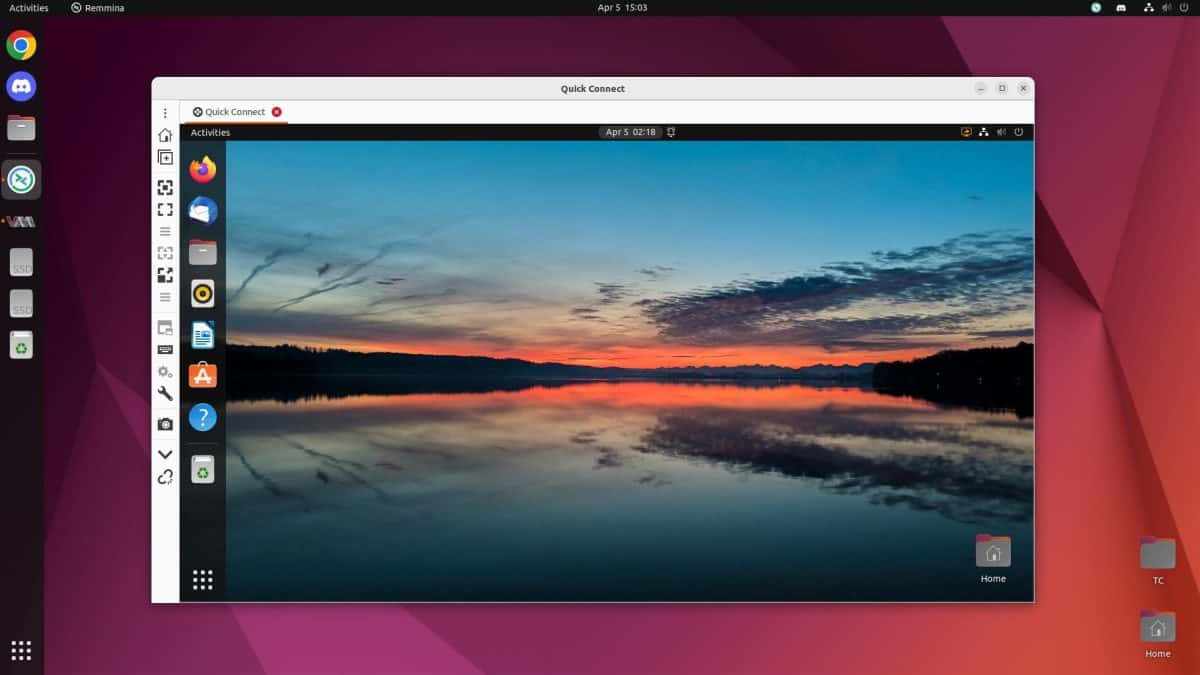
Cloud-based Ubuntu desktops are rapidly gaining traction across various sectors. Organizations are leveraging these solutions for enhanced flexibility, cost-effectiveness, and improved security. This section delves into specific use cases and examples, highlighting the benefits and challenges faced by different types of deployments.
Real-World Examples of Ubuntu Cloud Desktop Adoption
Several organizations are already successfully utilizing cloud-based Ubuntu desktops. These deployments span diverse industries and demonstrate the versatility of this technology.
- Financial Institutions: Banks and investment firms are increasingly adopting cloud desktops for secure remote access to sensitive data. This enables employees to work from anywhere, maintaining high security standards and compliance with regulations like GDPR and PCI DSS. Access to sophisticated financial applications is easily managed through a secure, centralized platform.
- Education: Universities and schools are using cloud-based Ubuntu desktops for virtual classrooms, providing students with consistent access to educational resources and software. This is particularly valuable for remote learning programs and specialized labs, facilitating access to resources even in underserved communities.
- Healthcare: Hospitals and clinics are adopting cloud-based desktops for remote patient consultations and data analysis. This improves efficiency, enhances collaboration between remote teams, and ensures secure access to patient records.
- Small and Medium-Sized Businesses (SMBs): Many SMBs are finding cloud-based Ubuntu desktops to be a cost-effective alternative to traditional on-premises solutions. This allows them to scale their infrastructure easily, without the large upfront investment associated with dedicated hardware. This approach enables them to focus on their core business operations.
Specific Use Cases and Their Benefits
Cloud-based Ubuntu desktops cater to a wide range of specific use cases. This section details how different organizations are leveraging this technology.
- Remote Work Environments: Cloud desktops provide a consistent and secure work environment for employees working remotely. The ability to access applications and data from any location, on any device, is crucial for maintaining productivity and efficiency in dispersed teams. Security features such as multi-factor authentication and granular access controls are essential to maintain data confidentiality and integrity.
- Disaster Recovery and Business Continuity: Cloud-based desktops offer a robust solution for disaster recovery and business continuity. The data and applications are stored off-site, ensuring business operations can continue uninterrupted even in the event of a physical disaster or other disruptions. This is particularly critical for organizations with significant data dependencies.
- Software Testing and Development: Software development teams can use cloud-based desktops to run complex tests and simulations in a secure and controlled environment. This is cost-effective and reduces the need for expensive and resource-intensive on-premises infrastructure. The ability to quickly provision and scale resources is a major advantage.
Key Benefits and Challenges Summary
A comparison of benefits and challenges across various use cases provides a comprehensive understanding of the strengths and limitations of cloud-based Ubuntu desktops.
| Use Case | Key Benefits | Key Challenges |
|---|---|---|
| Remote Work | Enhanced flexibility, cost-effectiveness, improved security | Internet dependency, potential security vulnerabilities |
| Disaster Recovery | Business continuity, data protection | Vendor lock-in, potential for downtime |
| Software Development | Scalability, cost-effectiveness, consistent environment | Internet connectivity issues, potential security vulnerabilities |
Diagram of a Typical Cloud-Based Ubuntu Desktop Deployment
A typical cloud-based Ubuntu desktop deployment involves several key components. The user interacts with the virtual desktop environment via a client device (e.g., a laptop, smartphone). This desktop environment is hosted on a cloud provider’s infrastructure, which provides the computing resources, storage, and network connectivity. A management console facilitates administration and control of the entire system.
A diagram would visually represent these components and their interactions. The diagram would illustrate the user interface, the cloud infrastructure, and the management console, highlighting the connection between the user and the virtual desktop environment.
Concluding Remarks
In conclusion, cloud-based Ubuntu desktops offer a compelling alternative to traditional on-premise solutions, providing significant advantages in terms of cost-effectiveness, scalability, and flexibility. This guide has provided a comprehensive overview of the key aspects, from setup and security to performance and future trends. Ultimately, the choice to embrace cloud-based Ubuntu desktops depends on individual needs and priorities, but the potential benefits are undeniable.